Desktop Snapshots
Use of Desktop Snapshots
Snapshots allow you to 'backup' your virtual machine and restore it with ease.
For instance, if you are carrying out an upgrade that could potentially break your system, you can stop your virtual machine and take a snapshot beforehand.
If the upgrade is successful, the snapshot may be deleted; if not, you can restore the previous state of the machine.
Snapshots are supported on all DaDesktop types, namely Fresh Start, Trainer, Participant, and Standalone machines.
Kindly note, when a snapshot is restored, the machine will be switched off, ready to be restarted.
Creating Snapshots

Here, we demonstrate how to take a snapshot. Assign a clear, descriptive name to the snapshot so you can identify the point at which it was taken.

Below, you can see two snapshots taken at different stages. These can be restored or deleted as needed.

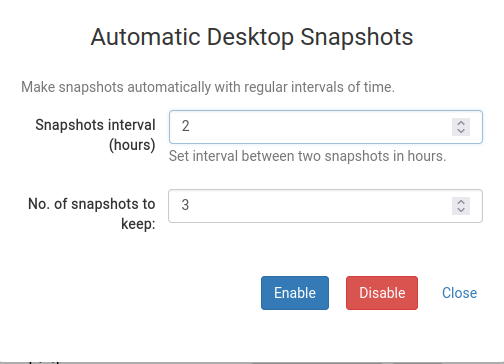
Automatic Desktop Snapshots
If you prefer to have snapshots taken periodically so that you do not forget, Automatic Desktop Snapshots is the ideal solution.
You can configure the number of snapshots to retain and the interval at which new snapshots are captured here.