
Coefficient Over-committing
This capability is exclusively accessible within DaDesktop Private Server (DDPS) and DaDesktop On-Premise (DDOP) environments.
With the growing complexity and processing demands of courses, especially those involving nested virtualisation or many high-performance trainee desktops, you might occasionally encounter an error message like this :-

This notification specifically relates to CPU, memory, or disk space. Your initial step should be to attempt relocating your machine(s) to a server or data centre with lower load, or to scale down the resource needs wherever feasible.
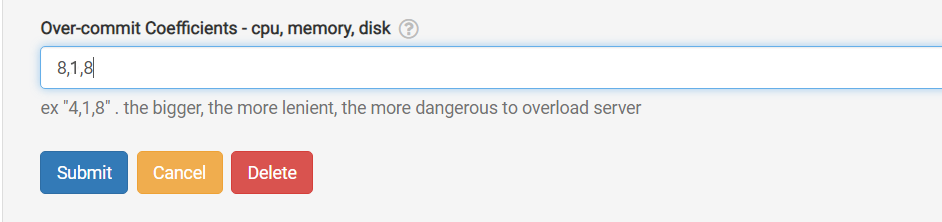
Should neither option be feasible, a swift workaround exists for scenarios where the active units barely exceed the standard maximum: temporarily enable over-committing on one or more of the CPU, memory, or disk coefficients. This adjustment is done via the GUI as illustrated.
Navigate to /da/admin/servers/all, select the Edit button for your server, and scroll down to the relevant section.
Additionally, the server list displays which servers currently utilise over-committed coefficients. This proves handy when you wish to revert them once a course concludes, resetting the coefficients to their defaults.
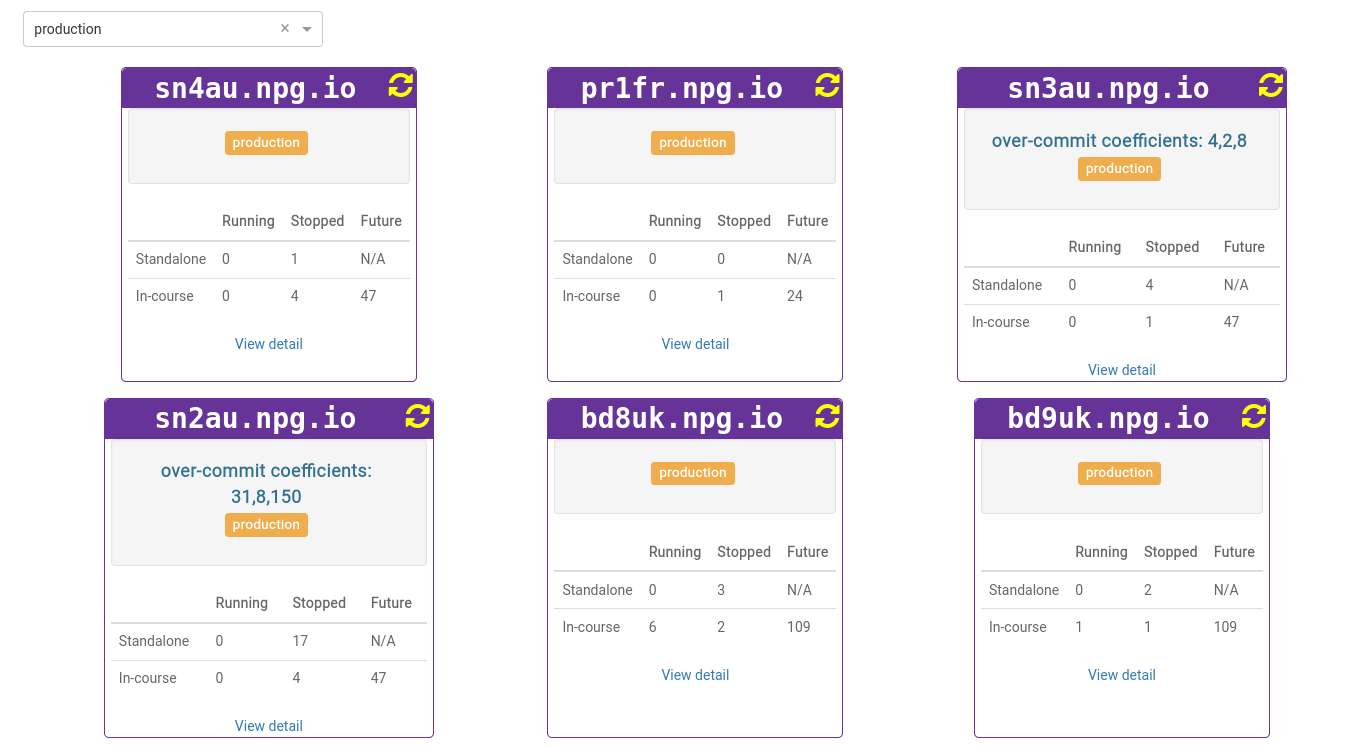
All modifications must be considered a temporary workaround, not a lasting fix for resource shortages. Any adjustments made to allow a course to proceed should be reversed once the course ends.
DaDesktop On-premise Requirements
This over-committing capability relies on tpapi, a component of the DaDesktop codebase. Currently, tpapi is compatible only with Python 3.12, meaning the operating system must be at least Ubuntu 23.10.